Windows Agent Installation Guide:
After following the instructions in the installation overview
Navigate to the Client Onboarding and click on the Windows button. This is represented in the following image.
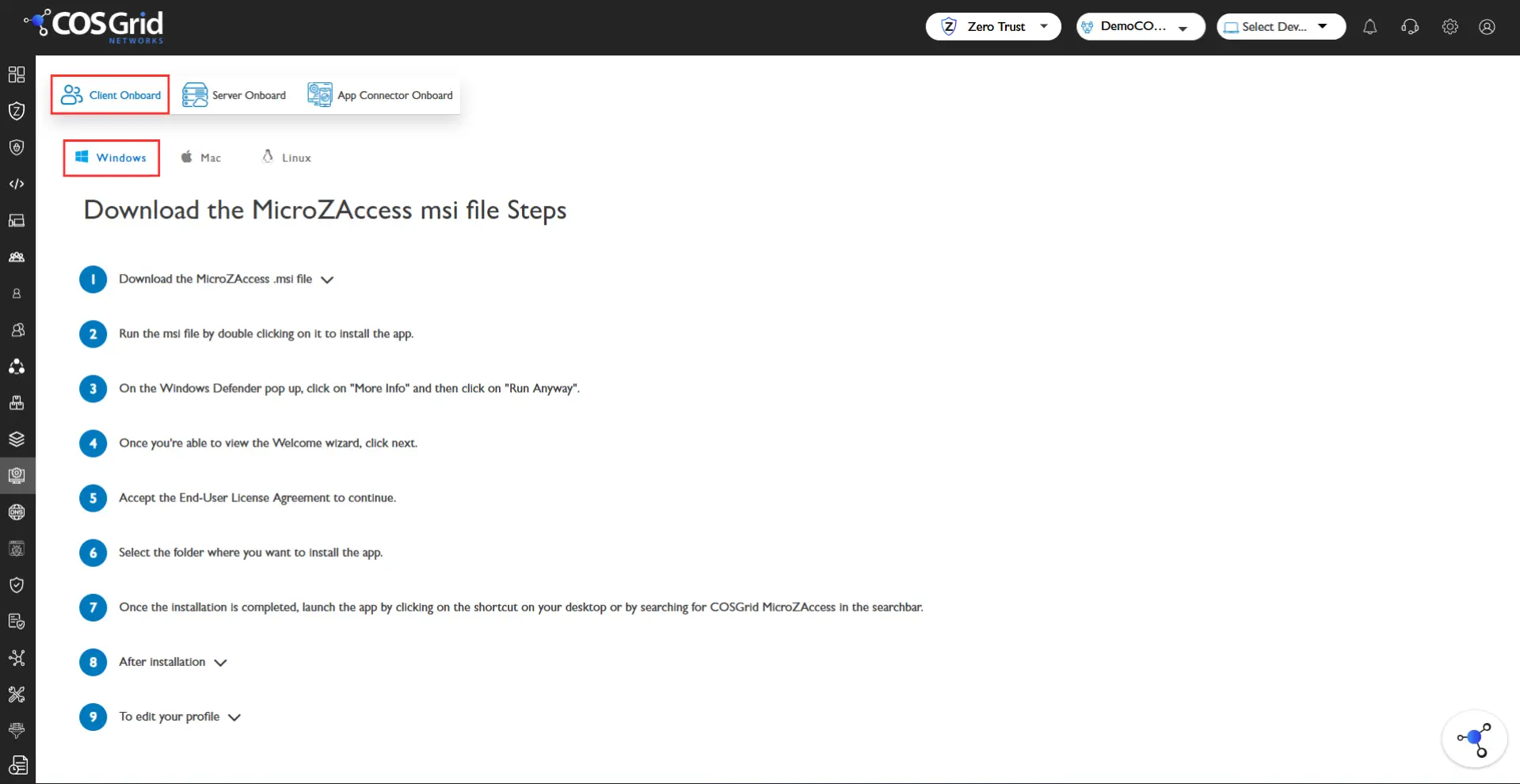
The installation instructions are given below in that page or you can access using the following url cosgrid.net
Note: While installing your Windows Defender may prevent you from running the installation. This can be overcome by clicking on 'More info' when prompted and clicking on 'Run Anyway' in order to continue with the installation process.
After the .msi file has been installed double click on it to initialize the installation file. After that an installation box opens.
To complete the installation follow the instructions as follows.
Instructions: Next > Select which user to download > Install
By default the destination is " C:\Program Files\COSGrid MicroZAccess\ "
Once the installation is complete, you can launch the software by checking Run COSGrid or clicking on the shortcut on your desktop.
After Installation
You can run the COSGrid Application by Opening the shortcut on the Desktop or by searching the application in the search bar.
Open the app, Click Register
Enter the credentials [ Email/Password or SAML ]
After login it will automatically connect to COSGrid Orchestrator