Configuration & Policy Orchestration
Web Filter Policy Navigation
Navigation: Login → Organisation → WebFilter
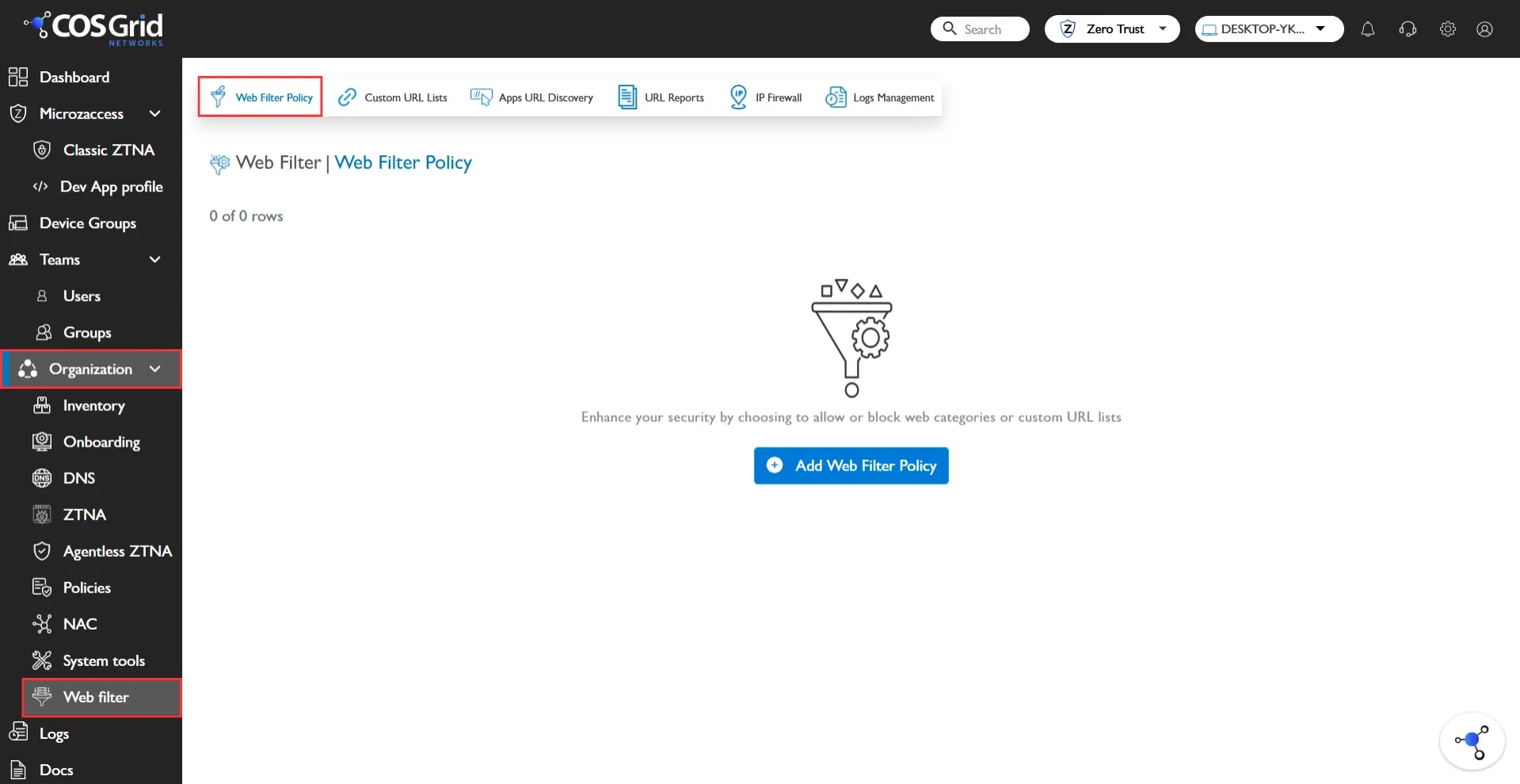
Web Filter Policy Creation
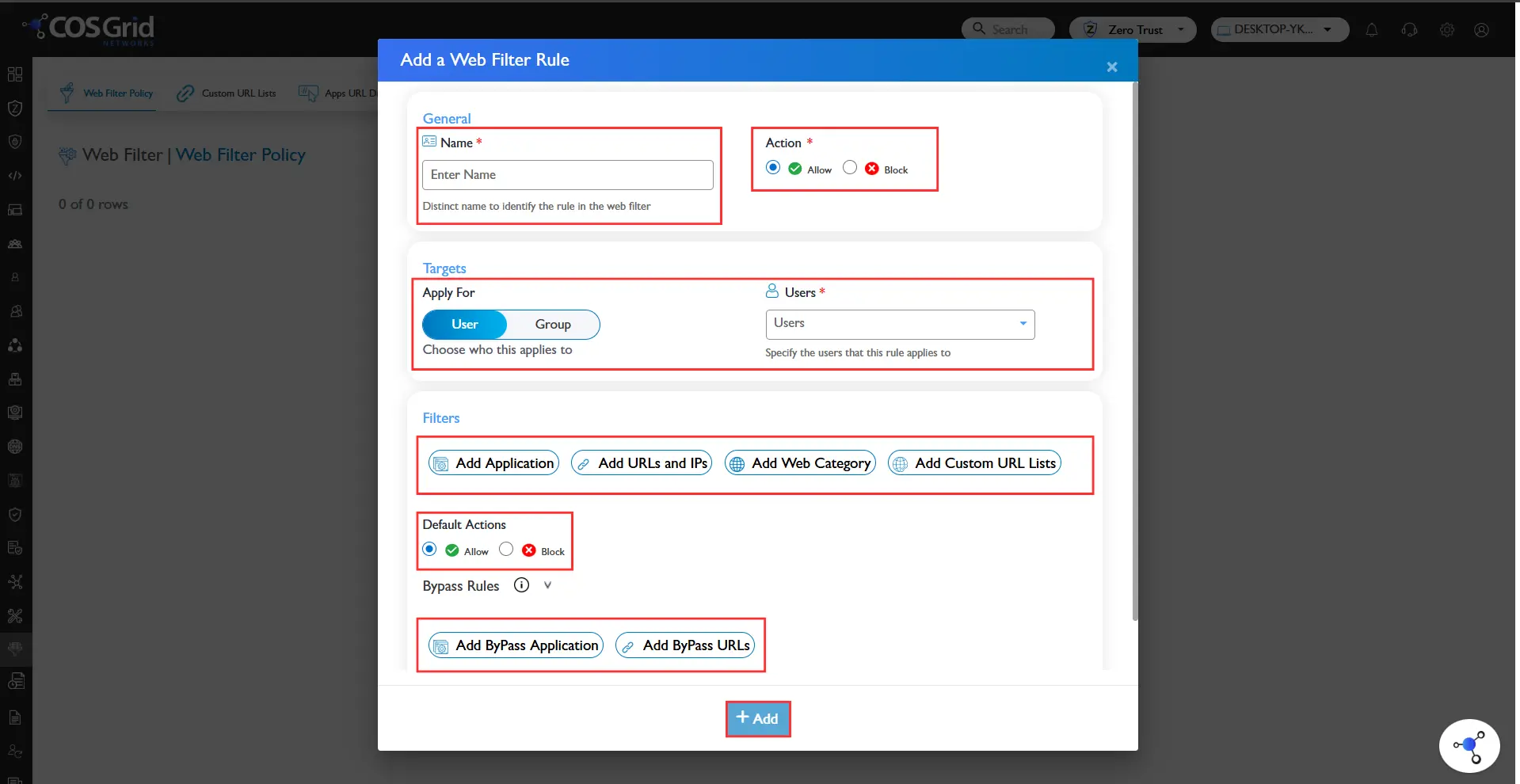
Policy Creation Steps:
Click “Add Policy”
Enter Policy Name
Select Target (User / Group)
Choose Filter Type:
Application-Based
Category-Based
URL/IP-Based
Custom URL List
Define Action:
Allow
Block
Bypass
Save and Enable Policy
Best Practices:
Use structured naming conventions
Apply policies to groups rather than individual users
Document policy intent
Web Filter Policy Management
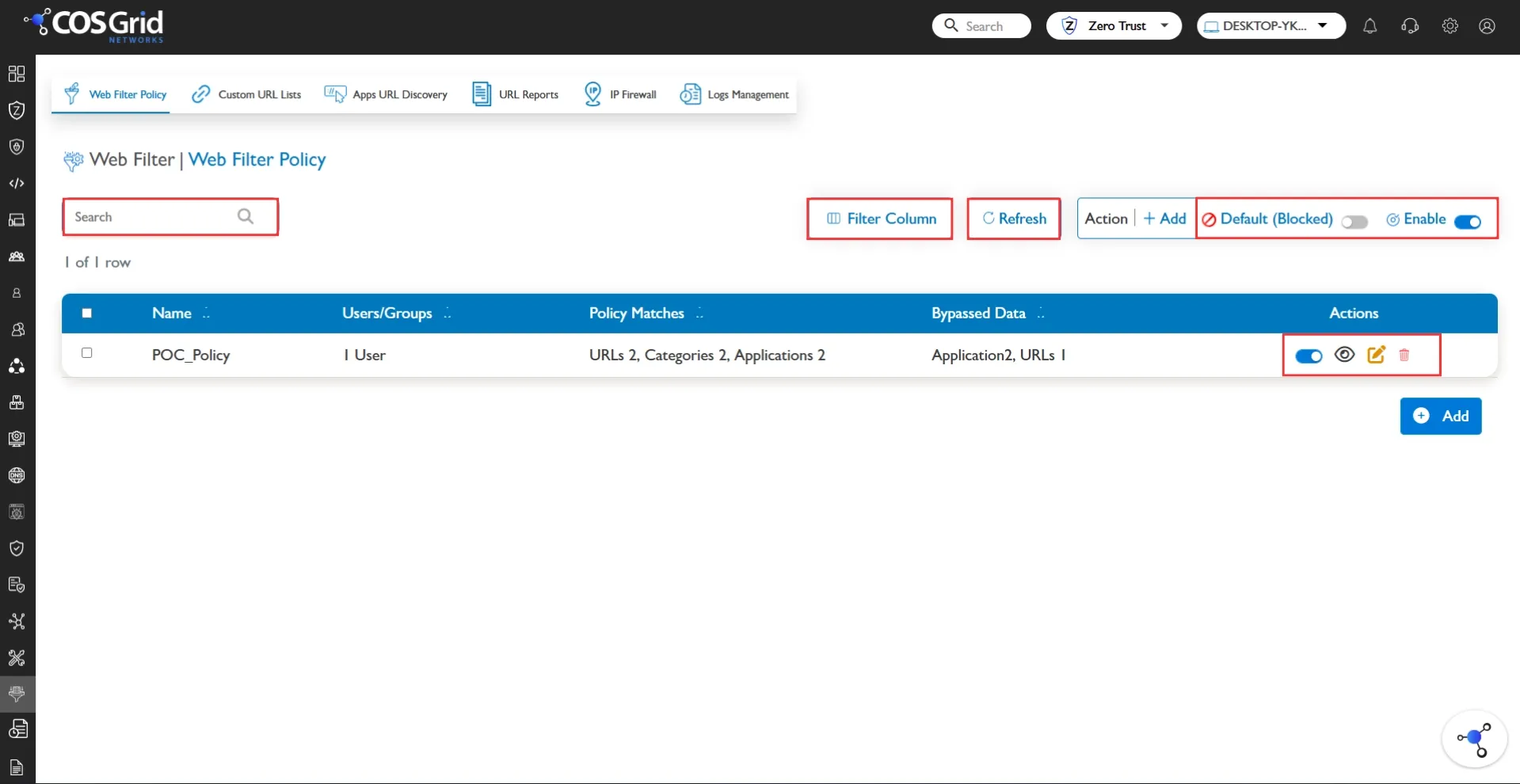
Administrators can:
Search policies by name or target
View rule configuration (read-only mode)
Edit policies to adapt to operational changes
Disable policies temporarily
Delete outdated rules
Modify default action settings
Use Global Enable/Disable for bulk control
Policy management should follow enterprise change-control procedures in production environments.
Web Filter for Custom URL’s
Custom URL filtering provides granular control over specific domains and URL paths.
Capabilities:
Allow specific business-critical URLs
Block malicious or non-compliant URLs
Control access at path level
Create department-specific exceptions
Example:
Allow → partnerbank.com
Block → youtube.com
Custom URL filtering is particularly useful for:
Compliance enforcement
Vendor portal access
Exception management
Project-specific restrictions
Web Filter Policy Enforcement & Validation
Enforcement Process:
User initiates web request
Traffic routed through SWA
Policy engine evaluates request
Matching rule applied
Action enforced
Event logged
If no rule matches → Default Action is applied.
Validation Checklist
Before full deployment:
Confirm correct user/group mapping
Verify policy is enabled
Validate default action configuration
Test allowed URLs
Test blocked URLs
Review logs for correct policy match
Confirm no unintended bypass
Testing should be conducted using controlled test accounts before enterprise-wide rollout.
Use Case
Whitelisting
Whitelisting allows access only to approved websites while blocking all others.
Scenario: A financial organization allows access only to approved SaaS platforms and blocks all external services.
Implementation:Default Action → Block
Allow specific applications/domains
Blacklisting
Blacklisting blocks specific websites or categories while allowing general internet access.
Scenario: Block social media during work hours for the Finance team.
Implementation:Default Action → Allow
Block Social Media category
Bypass Rules
Bypass rules allow selected traffic to skip filtering.
Usage:Internal trusted applications
Testing and staging environments
Emergency troubleshooting
Bypass must be carefully controlled to prevent policy misuse or security gaps.