Agentless ZTNA Policy Creation Guide
Agentless ZTNA Policies define who can access which applications (domains) under specific conditions. These policies are a core component of Zero Trust enforcement, ensuring that only authorized users or groups can access onboarded resources.
Navigation: Sidebar → Organisation → Agentless ZTNA → ZTNA Policy
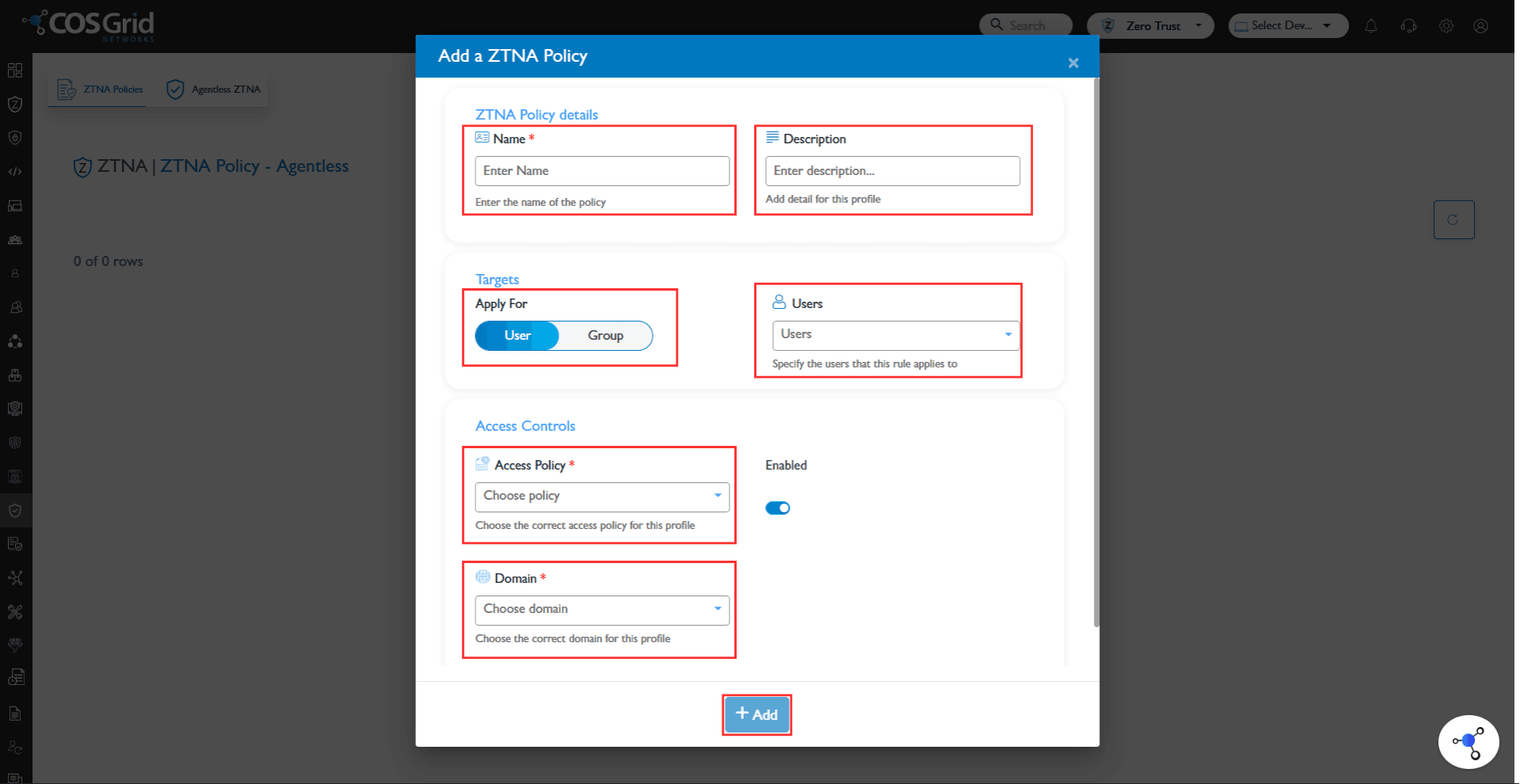
Steps to Create a Policy
1. Open Policy Creation
Navigate to the ZTNA Policy page
Click on Add to create a new policy
2. Enter Basic Details
Name
Provide a unique name for the policyDescription
Add optional details describing the purpose of the policy
3. Select Target
Define who the policy applies to:
Users
Groups
Select the relevant users or user groups based on access requirements
4. Configure Access Control
Define how access should be handled:
Allow / Deny access
Apply conditions (if available), such as:
Device posture
Location
Time-based restrictions
5. Choose Domain
Select the onboarded domain to which this policy applies
Only previously onboarded domains will be available for selection
6. Set Policy Status
Enable → Policy is active and enforced
Disable → Policy is saved but not enforced
7. Save Policy
Click Add to create and apply the policy
How Policies Work
When a user attempts to access a domain:
The system verifies user identity
Matches applicable policies
Evaluates conditions
Grants or denies access
Policies are enforced before the user reaches the application, ensuring secure access control.
Best Practices
Use group-based policies instead of individual users for scalability
Follow least privilege principle (grant only required access)
Regularly review and update policies
Test policies before enabling in production
ZTNA Policies provide fine-grained control over application access by combining identity, context, and domain-level restrictions. Properly configured policies ensure secure, scalable, and compliant access to onboarded applications.