Logs and Reporting
The Logs and Reporting section provides administrators with comprehensive visibility into user activity, authentication events, ZTNA access sessions, and system operations. These logs help organizations monitor system usage, investigate incidents, and maintain compliance with internal security policies.
Administrators can use the logs to track user access behavior, audit administrative actions, troubleshoot connectivity issues, and generate reports for security analysis.
All logs support search, filtering, and export capabilities to simplify analysis and reporting.
Authentication Logs
Navigation: Sidebar → Logs → Login Logs
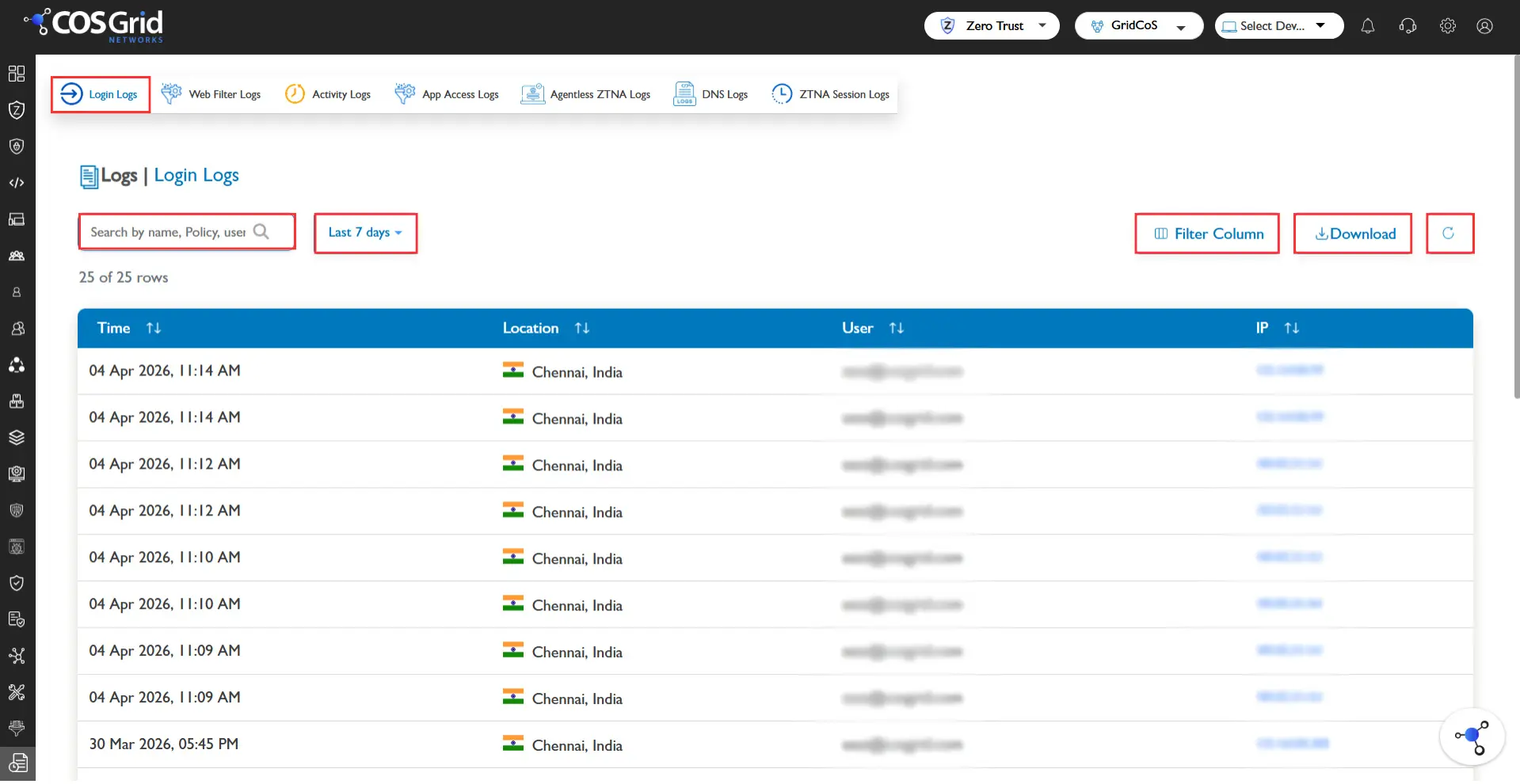
Authentication Logs provide records of all user authentication attempts made through the platform. These logs help administrators monitor login activities and identify suspicious authentication behavior.
The logs capture details related to:
User login attempts
Single Sign-On (SSO) authentication
Multi-Factor Authentication (MFA) events
Successful and failed authentication attempts
These records allow administrators to detect unauthorized access attempts, investigate login failures, and monitor authentication activity across the organization.
Available Functions
The Authentication Logs page provides the following capabilities:
Search – Quickly locate specific authentication events.
Filter – Narrow results based on available parameters.
Download (CSV) – Export log data for reporting or audit purposes.
Log Information
The logs typically include authentication-related details such as:
User identity
Login time
Authentication method
Login status (success or failure)
Associated authentication events
Web Activity Logs
Navigation: Sidebar → Logs → Webfilter Logs
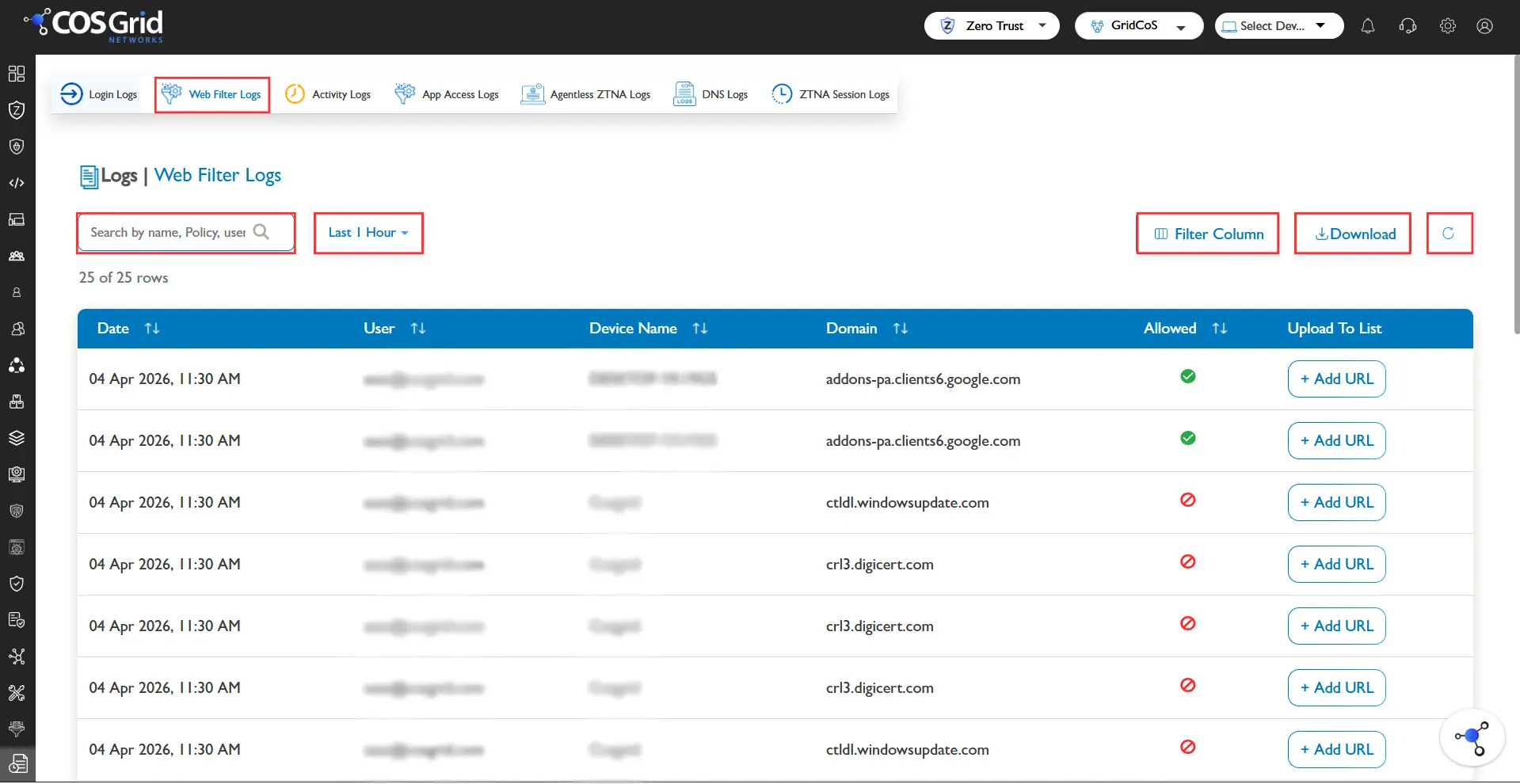
Web Activity Logs provide detailed insights into user web browsing activity and web filtering actions enforced by the system.
These logs record whether access to a particular URL, application, or category was allowed, blocked, or bypassed based on configured security policies.
Administrators can use these logs to monitor user internet usage, analyze web filtering effectiveness, and detect attempts to access restricted websites.
Available Functions
The Web Activity Logs page includes the following options:
Search – Locate specific web access events.
Filter – Filter logs based on:
Access type (Allow / Block)
User name
Device ID
Time range
Teams
Refresh – Reload the latest log data.
Download (CSV) – Export logs for reporting and analysis.
Log Information
The logs contain information such as:
User identity
Accessed URL or application
Category classification
Access status (Allowed / Blocked / Bypassed)
Device identifier
Timestamp
Agentless Access Logs
Navigation: Sidebar → Logs → Agentless Logs
Agentless Access Logs capture activity related to browser-based access sessions where users connect to applications without installing an endpoint agent.
These logs provide detailed information about sessions established through agentless access mechanisms, enabling administrators to monitor usage and investigate security events.
Available Functions
Search
Filter, based on:
User
Domain
Operating System
Browser
Response Code
Status (Allow / Block)
User IP
Time Range
Log Information
Agentless access logs include the following information:
Date and time
Client IP address
User identity
Accessed domain
Browser type
Operating system
Session duration
Access status
Token expiry time
User agent information
These logs help administrators monitor browser-based access activity and validate secure session handling.
Administrative Activity Logs
Navigation: Sidebar → Logs → Activity Logs
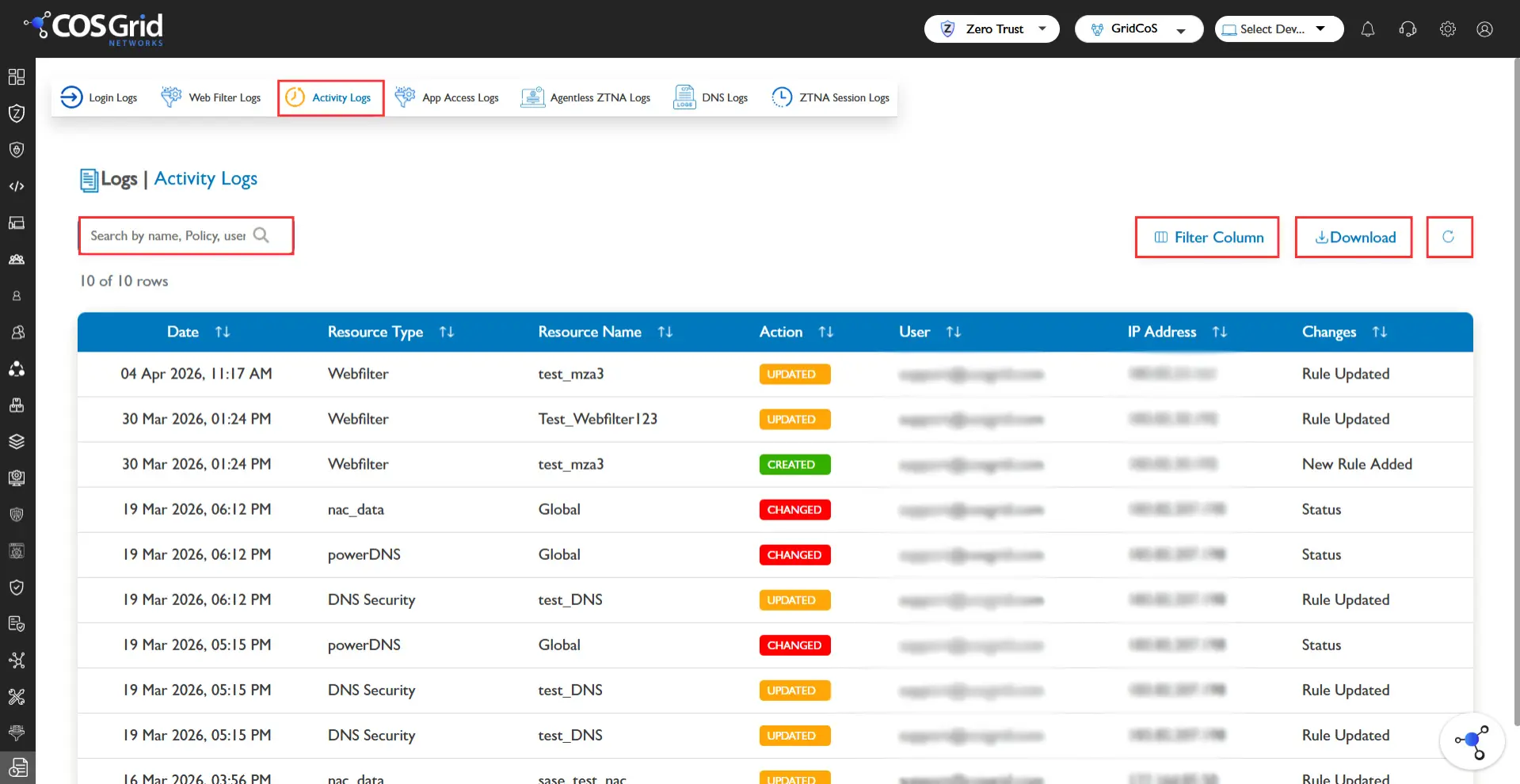
Administrative Activity Logs maintain an audit trail of actions performed by administrators within the platform. These logs ensure transparency and accountability by tracking configuration changes and management activities.
Activities recorded include:
Policy creation or modification
Configuration updates
User management operations
Resource changes
Available Functions
Search
Refresh
Download logs (CSV)
Log Information
Administrative activity logs contain information such as:
Date and time of the action
Resource type affected
Action performed (Edit, Delete, etc.)
Administrator username
Source IP address
Description of the change made
These logs are essential for compliance auditing and security investigations.
Device Inventory Reports
Navigation: Sidebar → Organization → Inventory
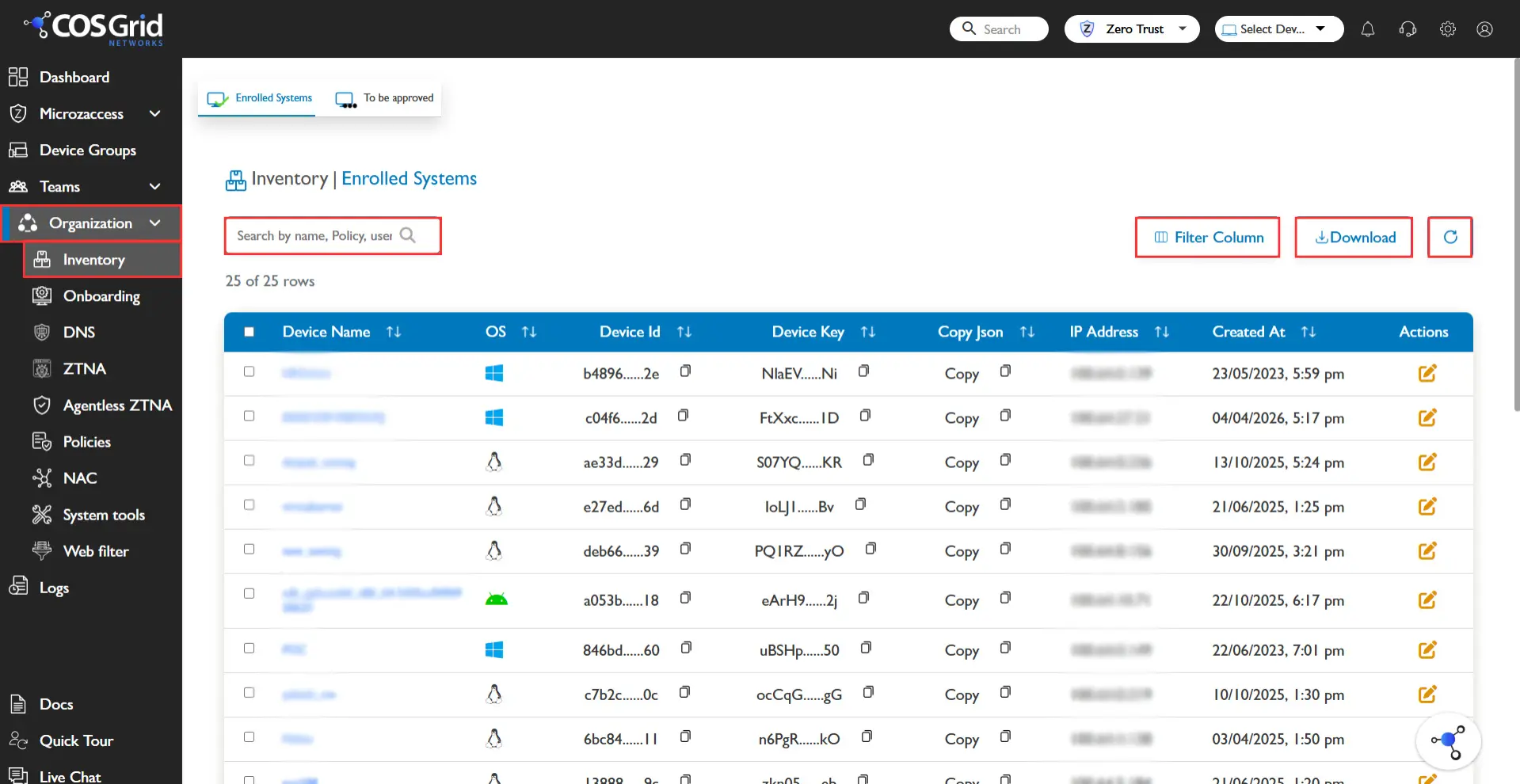
Device Inventory Reports provide a comprehensive overview of all registered endpoints within the organization.
This inventory helps administrators monitor device posture, ensure compliance, and track endpoint status across the organization.
Available Functions
Search – Locate specific devices.
Refresh – Update the inventory list.
Download – Export device inventory data.
Device Information the inventory table displays information including:
Device Name
Private IP Address
Creation Status
Additional device information may include:
Operating system details
Device posture status
Agent version
Compliance state
This inventory enables administrators to manage endpoint visibility and ensure devices meet organizational security requirements.