Log Server Integration (Log Export)
COSGrid supports real-time log forwarding to external log management and SIEM platforms. This enables centralized monitoring, compliance reporting, and advanced security analytics.
Navigate to: Company Settings → 3rd Party Integration → Log Server
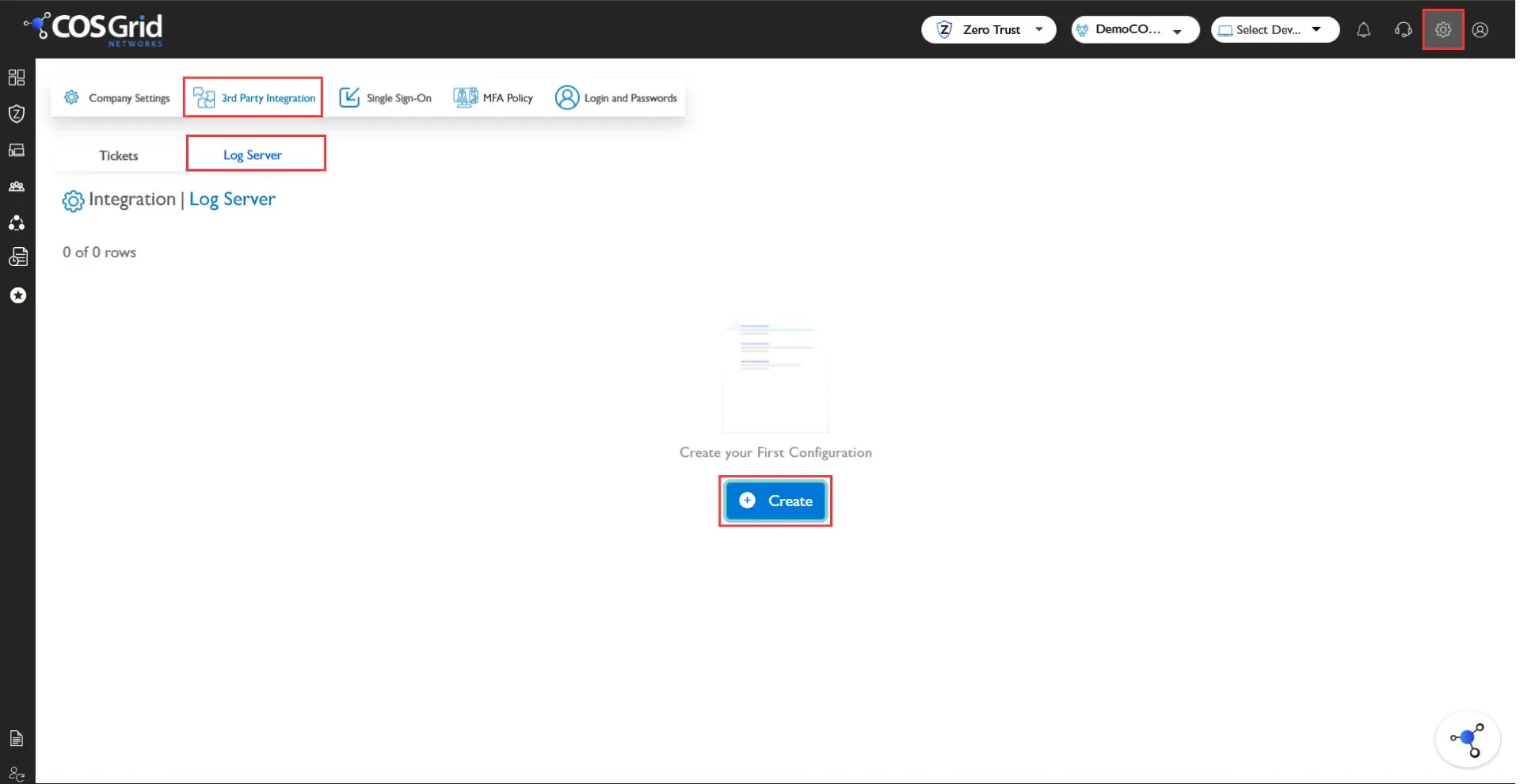
You can configure log forwarding using either:
Ingest Mode – COSGrid pushes logs to the external server.
Fetch Mode – External systems pull logs from COSGrid.
Supported Log Platforms
Elasticsearch
Syslog
Splunk
Fluentd
Elasticsearch
Integrate COSGrid logs directly with Elasticsearch for indexing and visualization.
Configuration Parameters
Object ID
Server Type: Elasticsearch
Log Format: JSON
Index Name
Host Type:
Host URL
Host IP + Port
Protocol: HTTP / HTTPS
Authentication Type:
None
Basic
API Key
Token
Logs are transmitted in structured JSON format for seamless ingestion into Elasticsearch pipelines.
Syslog
Forward logs to external log collectors using the Syslog protocol.
Configuration Parameters
Syslog Server IP / Hostname
Port
Transport Protocol (TCP / UDP)
Log Format
Authentication (if applicable)
Supports standard RFC-compliant log formats for SIEM compatibility.
Splunk
Send logs directly to Splunk for correlation, monitoring, and alerting.
Supported Methods
HTTP Event Collector (HEC)
Syslog Forwarding
Configuration Parameters
Splunk Endpoint / HEC URL
Token
Index Name
Source Type
Fluentd
Forward logs to Fluentd-based pipelines for aggregation and routing to multiple destinations.
Configuration Parameters
Fluentd Endpoint
Port
Log Format (JSON)
Authentication (if required)
Security & Compliance
All integrations support secure communication over HTTPS/TLS where applicable.
Credentials and API tokens are securely stored using encryption at rest.
Role-based access control (RBAC) governs integration configuration.
All integration activities are audited and logged.