Ticketing Integration
COSGrid integrates with leading IT Service Management (ITSM) platforms to enable automated ticket creation for security alerts, policy violations, and operational events.
Supported Platforms
Jira
ServiceNow
Jira Integration
The Jira integration allows COSGrid to automatically create and manage issues within your Jira projects based on predefined security triggers.
Key Capabilities
Automated ticket creation for:
ZTNA access violations
Web filtering blocks
Device posture failures
Security events
Configurable project and issue type mapping
Priority alignment with COSGrid severity levels
Secure API-based communication
Configuration Steps
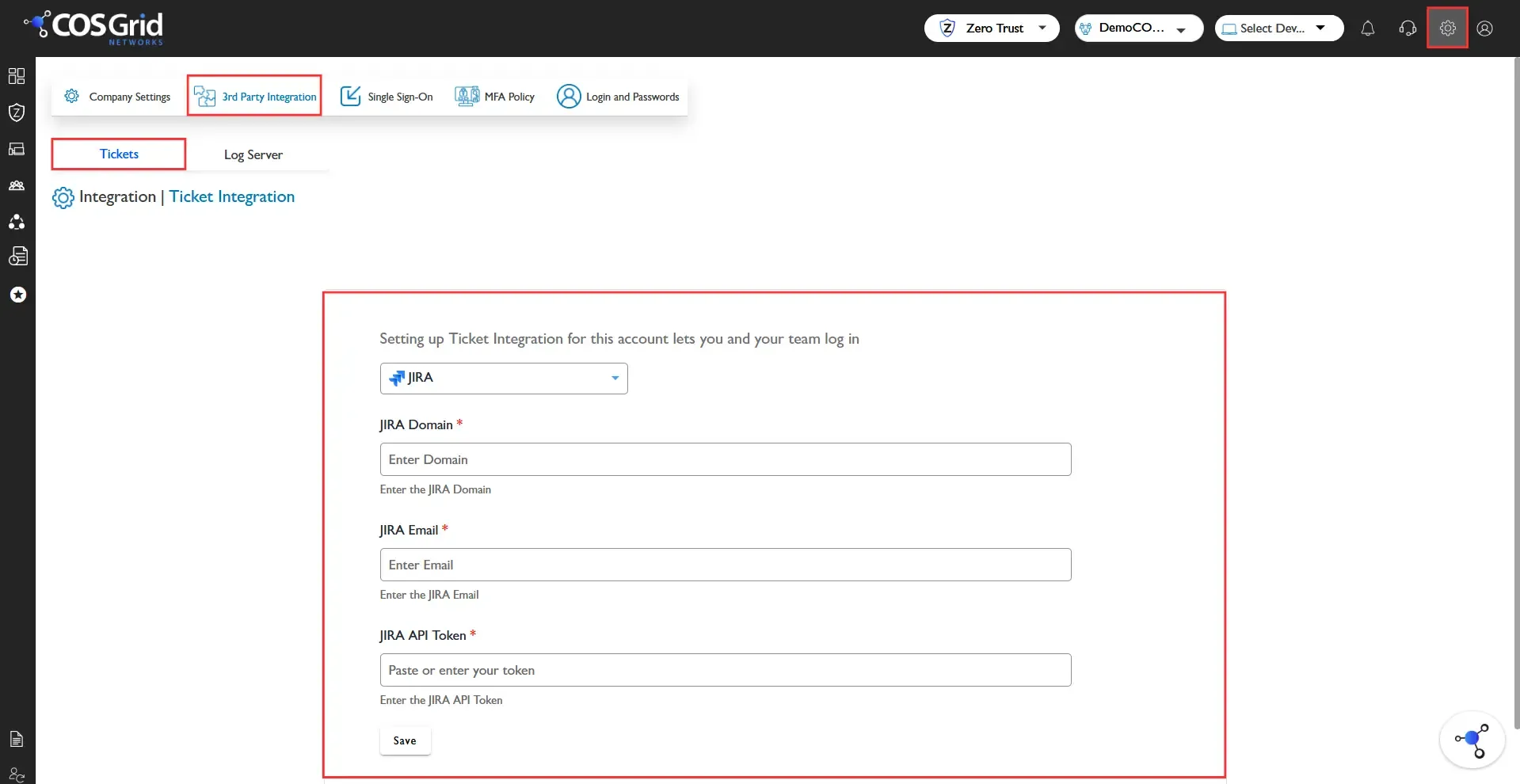
Navigate to: Company Settings → 3rd Party Integration → Tickets
Select Jira from the dropdown.
Provide the following details:
Jira Domain – Your Jira cloud domain (e.g., yourcompany.atlassian.net)
Jira Email – Registered Jira user email
Jira API Token – API token generated from your Atlassian account
Click Save to validate and activate the integration.
Once configured, COSGrid will automatically generate tickets based on configured alert conditions.
ServiceNow Integration
The ServiceNow integration enables automatic incident creation within your ServiceNow environment for COSGrid-detected events.
Key Capabilities
Automatic incident creation for:
Security alerts
Policy violations
Device non-compliance
Operational failures
Priority and severity mapping
Configurable assignment groups
API-based secure communication
Configuration Steps
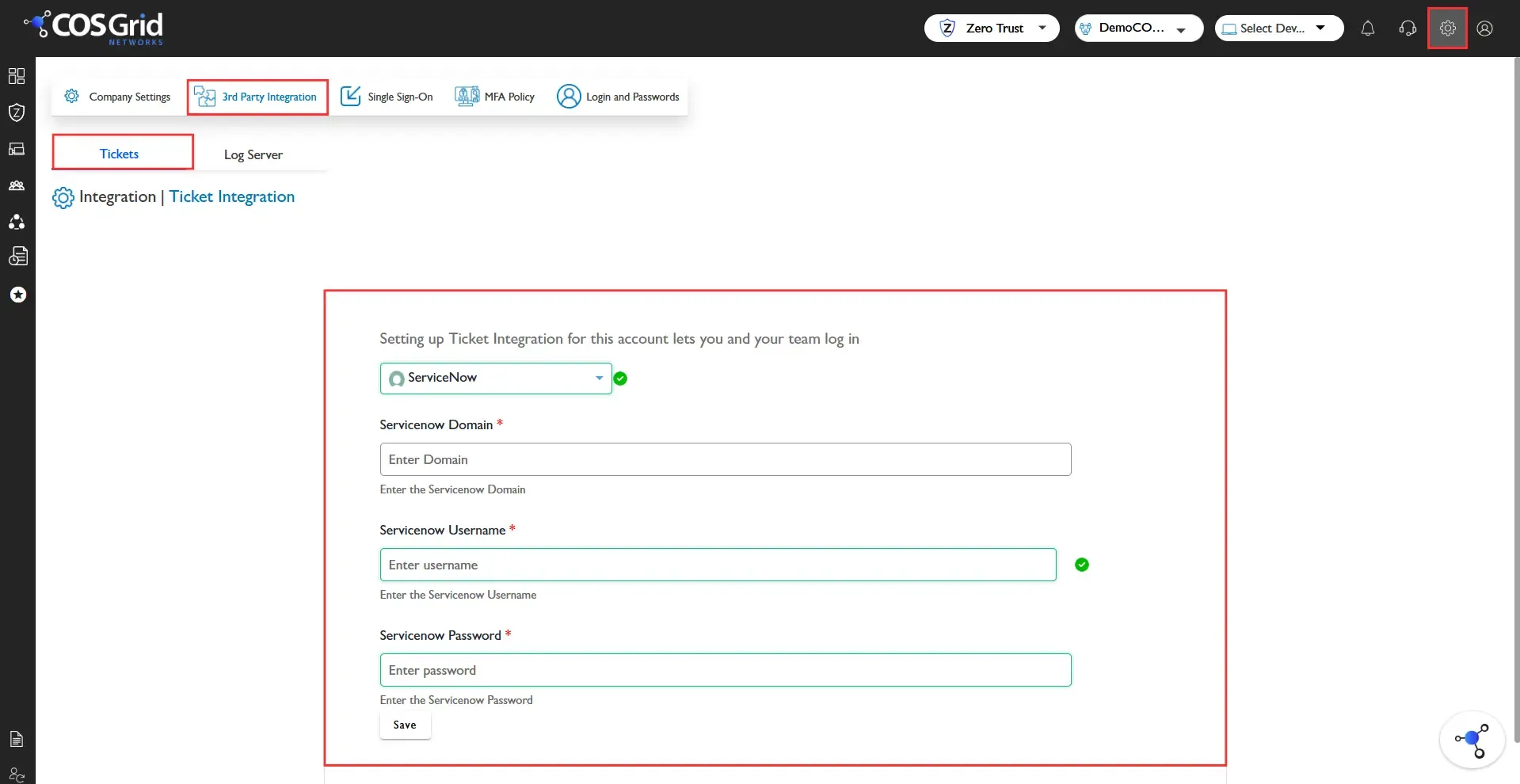
Navigate to: Company Settings → 3rd Party Integration → Tickets
Select ServiceNow from the dropdown.
Provide the following details:
ServiceNow Domain – Your instance URL (e.g., company.service-now.com)
ServiceNow Username – API-enabled account username
ServiceNow Password – Account password or API credential
Click Save to enable the integration.
COSGrid will validate connectivity and begin forwarding incidents to ServiceNow.