Configuration & Policy Orchestration
ZT-NAC policies define how devices are evaluated and what network access is granted.
NAC Policy Navigation
Navigation: Sidebar → Organization → NAC → Policy → Add Policy
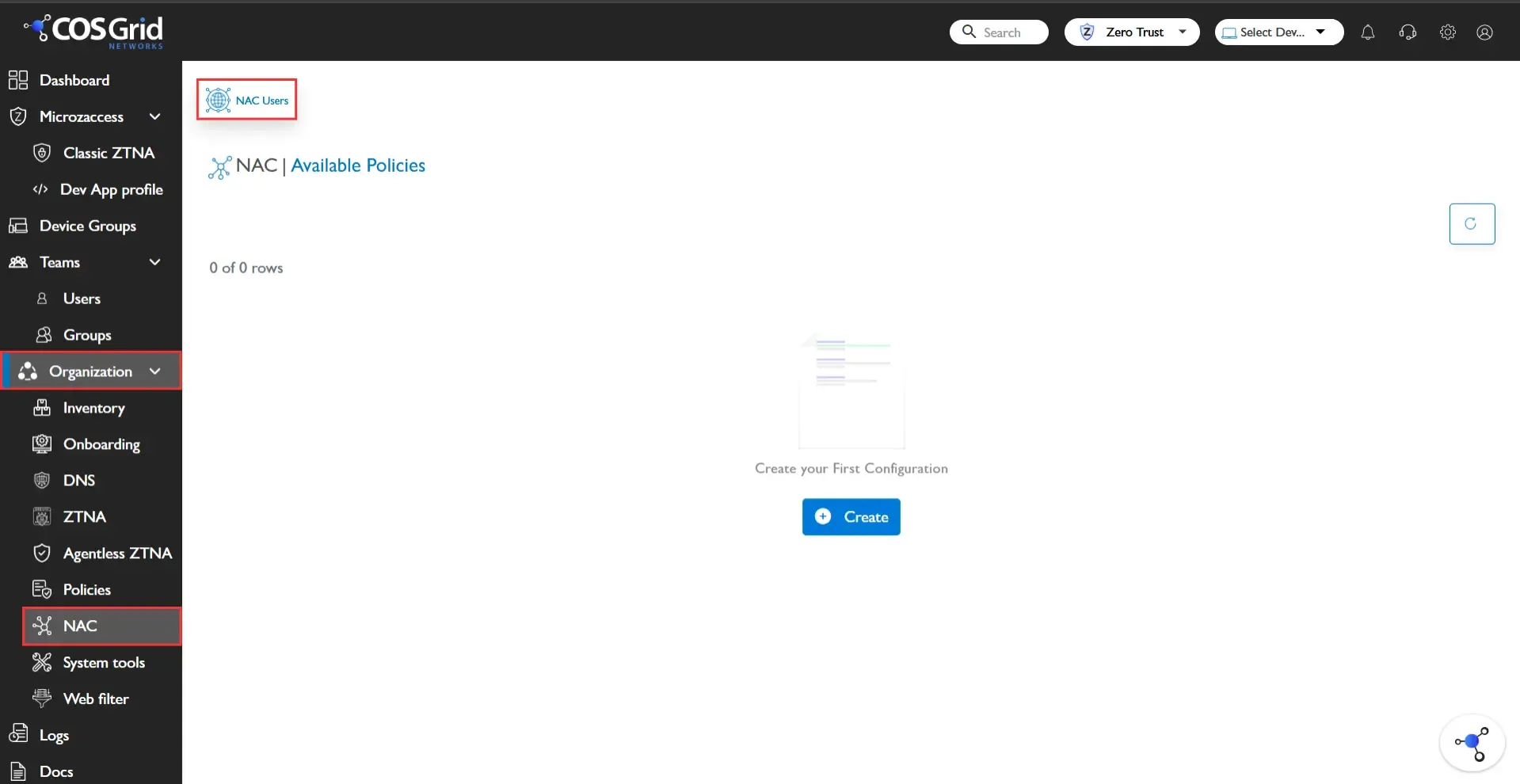
NAC Policy Creation
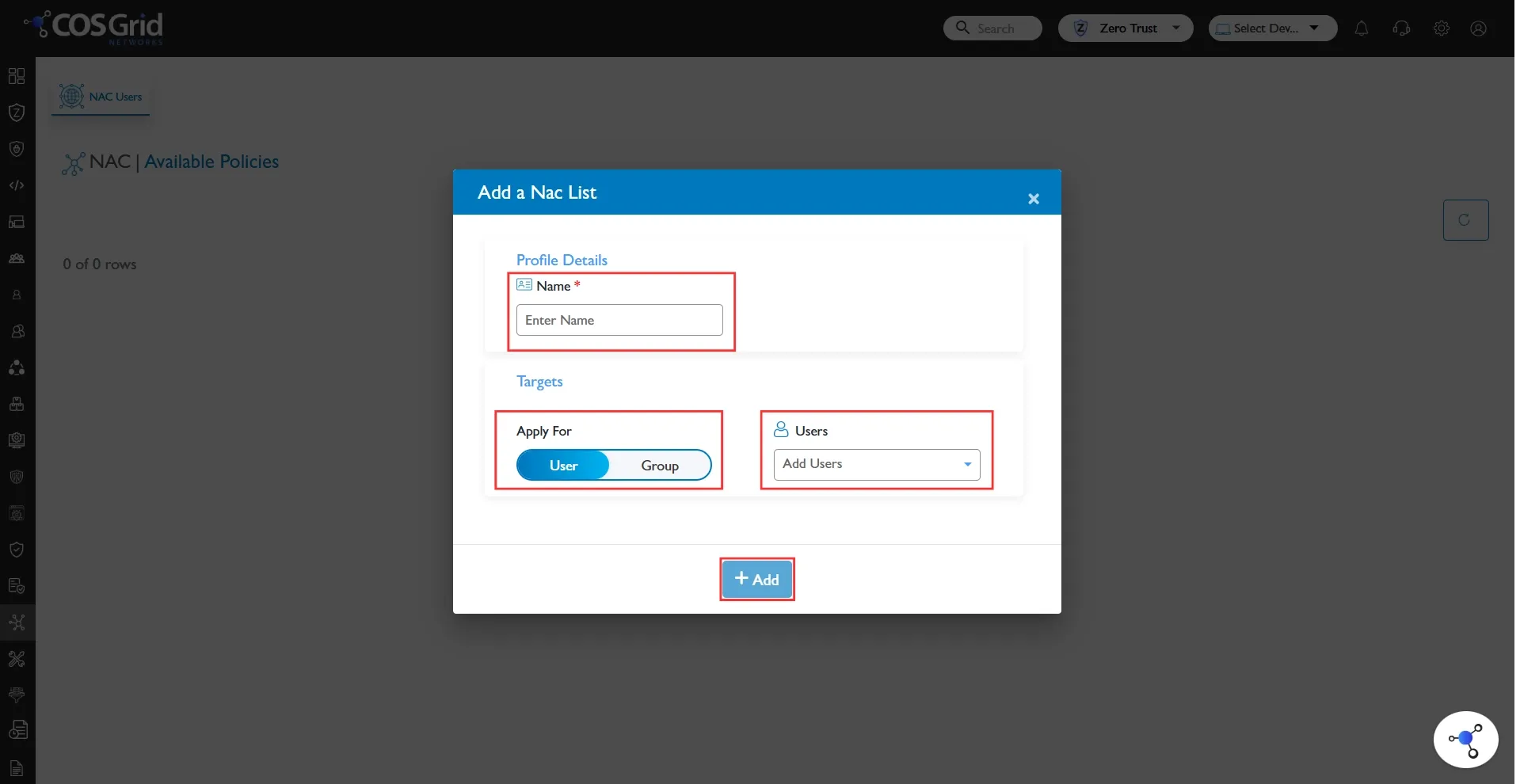
Step-by-Step Configuration
Name: Enter the name of the policy
Targets: Users / Groups
Click Add
Created NAC policy will be visible in the table
Policy Evaluation Logic
When a device connects:
Agent identifies user
Device posture is validated
Policy engine evaluates conditions
Firewall rules are dynamically applied
If no policy matches → Deny by Default
NAC Policy Management
Navigation: Sidebar → Organization → NAC → Policy
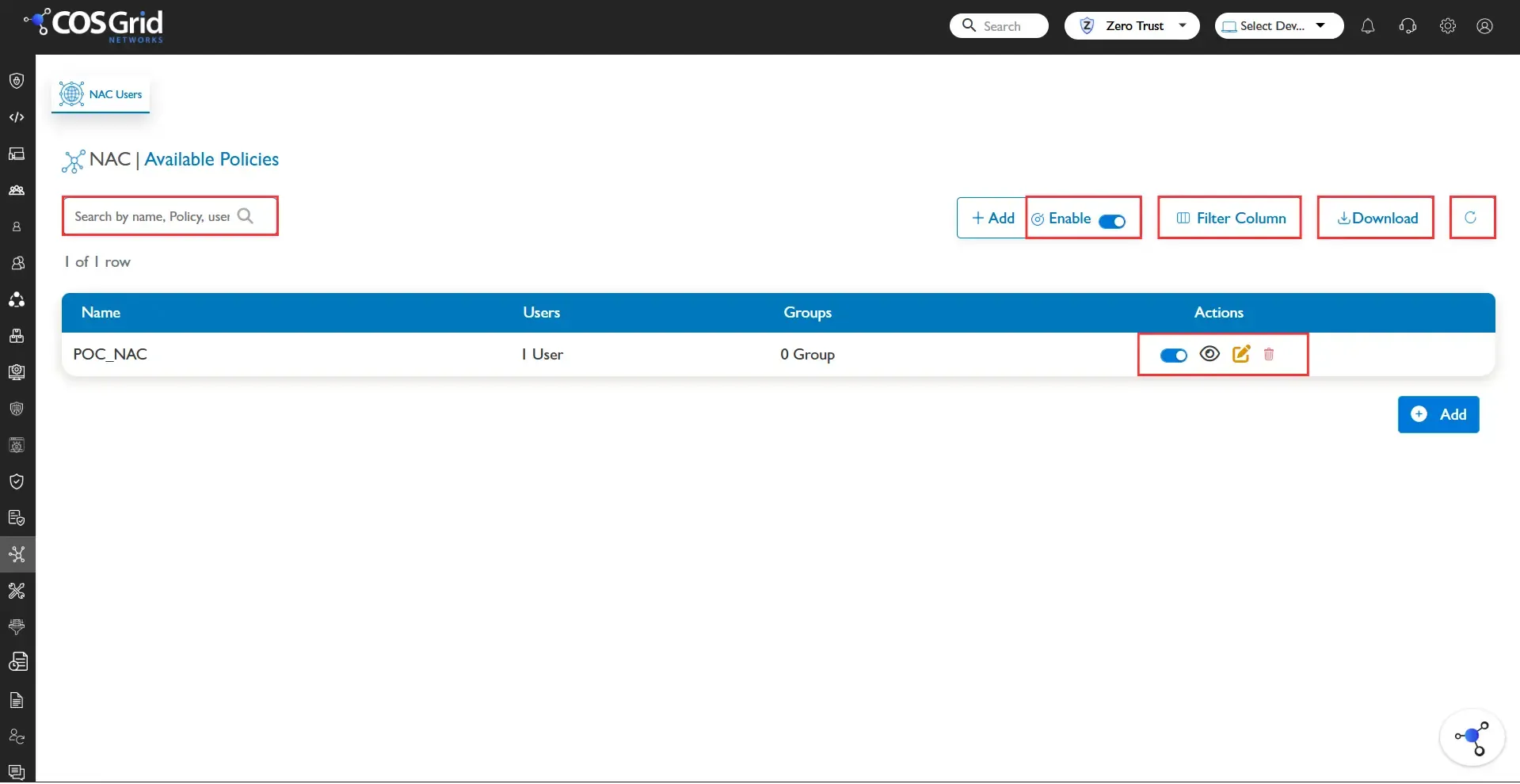
Available Actions
Search:Find policy by name
Refresh: Reload policy list
Download: Export policy list
View: Inspect policy configuration
Edit: Modify rule parameters
Delete: Remove policy
Enable/Disable : Toggle enforcement
Best Practices
Use group-based policies
Avoid overly broad access rules
Keep deny-by-default as baseline
Regularly review unused policies